Happy Holidays!

Dec 23 2011 04:18:26 AM Posted By : Lakshmanan
Share this article: Tweet this Connect with Facebook Add to Digg Stumble it


SupportCenter Plus wishes all the customers merry Christmas & happy new year.

While you are away, two features that can come in handy:

Mobile access
You can keep track of help desk activity from anywhere using your smartphones.

Customer Portal
When working with minimum staff, your customer portal can act as a savior which can help customers find answers to their problems, allow them to submit requests, run reports.


Happy Holidays!
Team SupportCenter Plus 

Share this article: Tweet this Connect with Facebook Add to Digg Stumble it
As a Customer Support Manager, you often feel that some parts of the Support Rep's job is repetitive and monotonous. And you would be happy if the help desk tool took care of repetitive activity.

The Canned Response feature of SupportCenter Plus is one such Time Saver! It helps Support Reps save frequently used answers as a template. Once saved, the Canned Response can be used any number of times and it saves a lot of valuable time.

Consider for example, in a Retail division, the product offers, exchange offers, and the terms and conditions for product return can be saved as a canned response template. Instead of creating these manually each and every time, the saved Canned Responses can be drawn from the list and sent to the customers with ease.

And while we are on this discussion, we also have an "Insert Solution" link on the same window, that lets you insert knowledge base articles into your customer reply.

Reply using Canned Response


Insert Knowledge base articles


Sounds good? Give it a try and discover how these two simple yet powerful features help Support Reps quickly accomplish their tasks and reduce response time.

Happy Support!
Team SupportCenter Plus.


Share this article: Tweet this Connect with Facebook Add to Digg Stumble it
When your customer lands in a portal from the website through the Support link, the customer should feel that the portal resembles the website to proceed further.

Customizing Portal

Customizing the look & feel of your support portal
In this version, we’re not just re-designing the portal area, we’re also providing flexible customization options for your portal needs.  Now, it gives you the ability to change colors, font styles, layout options and customizable URL to make sure that your support portal blend perfectly with your website.  Most of the settings can be done in Admin Settings area.

Adding multiple portals
Sometimes organizations may require multiple portals to efficiently manage their specific customer group.

Let's look at this scenario...
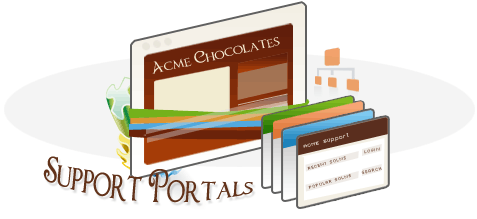
Acme chocolate company having different business divisions say Retail, Billing & Payment, Administration and Promotion.  But on single installation of SupportCenter Plus, they need to manage their specific customers requests. Each division will have their own content and presentation.

From the above example, the representation of Administration and Billing & Payment divisions should look more professional, but the Retail and Promotion divisions can sport appealing look. So it needs customization at portal level to make it different from each other.

Solution:
This can easily be achieved by creating two different portals and customize it accordingly cater to their own customer groups’.  It helps organization to share common information or restrict information at business unit level.

Check this out in our latest version 7.8

Happy Support!
Team SupportCenter Plus

SupportCenter Plus 7.7 Released.

Nov 16 2010 05:41:45 AM Posted By : vinu
Share this article: Tweet this Connect with Facebook Add to Digg Stumble it
       We just released SupportCenter Plus (SCP) 7.7 .  The release is bundled with a lot of good features like the Real-time Dashboards based on KPIs, Avaya Integration, APIs that helps you integrate applications into supportcenter, Activities module that help you keep track of the helpdesk's to-do list etc.   In addition to these major enhancements, we have also incorporated a new editor that solves the formatting issues.  Also, we have looked into the performance aspect and have tweaked many queries for faster rendering of pages.  You can feel this in most of the list view pages.  And of course, there have been many issue fixes.  To check all the details, please refer to the wiki page .

   Do give it a try & write to us about how you feel.

Regards,

Vinu Sreedharan
Share this article: Tweet this Connect with Facebook Add to Digg Stumble it
One of the primary tasks of Customer Support management is the association of every support request to a proper Account (or Company).  It is from this association that the information like Products Purchased, Contracts Associated, SLAs that should be applied, Hours the customer is eligible for etc, is derived.  And unless you have this information applied to the request, proper monthly reports like the billing reports can not be generated.

We believe companies spend a lot of time & effort organizing this information.  As a first step towards automating this process, SupportCenter Plus (SCP) follows this simple workflow :

  a)  When the support email comes in to the helpdesk from a member of a New Account :
  • The member is added as a contact
  • The domain name from the email is taken
  • A new  Account is added and the domain name mapped to this account
      For example :  A member John from Future Solutions Inc. (john@futuresolutions.com) emails helpdesk, SCP automatically creates John as a contact, creates a new Account called FutureSolutions and also associates the domain "futuresolutions.com" with the Account "FutureSolutions".

  b)  When the email is from a new member of an already present Account
  • The domain name from the email is taken & searched for.  If matching Account is found, then the corresponding Account is associated with it.


The immediate question would then be what would happen to domain names like gmail.com, hotmail.com etc.  There are necessary checks & balances we've built into this logic.  We have provided an exclusion list which can be used by the administrator to fill in domain names that will be ignored from the automatic mapping.  Also, every time an automatic association takes place, notifications (optional) can be triggered to selected members.

This automated association prevents you from having to work extra-time organizing your data on month-ends to send timely reports to your customers.

Try this out and tell us how it works for you.

------

Vinu Sreedharan

SupportCenter Plus

Share this article: Tweet this Connect with Facebook Add to Digg Stumble it

Three years back, Jack Dorsey drew a prototype for short communication service in his flip-pad when he was working for Odeo, a podcasting company. I don’t think he would have realized it then that this going to be a rage in 2009. Not even when Biz Stone and Evan Williams joined him to start a company in 2006. Not even when Biz made his first Tweet…


Twitter, officially called as a micro-blogging service, is a social media platform where people communicate with each other in 140 characters. If you think what 140 characters can do, it helped a guy to win an election, it’s being used to teach students in universities,it gathered a whole nation for a protest, some one used it to report live from Mars and a country tracked their worst terrorist attack in it. Twitter has officially become the most popular communication platform beating out email and SMS…

So what? Why Twitter in a customer support software?

Twitter has become a way of expression. It is the best place to show that you are happy or sad to all of your friends through a single click. So if a person is not happy about the product he recently bought, in good old days he would have told his close friends and the time for the bad news to travel is more. Now, he goes and makes a simple update in Twitter – Result: The news travels faster than light. And believe me, if his update is funny, there will numerous retweets (an option to repeat the message of another person) and if the person is celebrity, you can pack your bags.
Dell, Comcast, Starbucks have wonderful twitter strategies in the recent times. There are dedicated support staffs in Comcast to track the customer tweets (whether it’s good or bad) and try to solve their problem if they have any. Other brands using Twitter to get close customers are Jet Blue, The Home Depot, Whole Foods, Southwest Airlines, Popeyes and the list is growing. Salesforce, Parature and many On-Demand service providers have embraced Twitter as another communication channel.

How does SupportCenter Plus integrates Twitter?

As you know SupportCenter Plus is a web based customer support product and it provides the leverage to integrate Twitter in a wonderful way. SupportCenter Plus will allow you to search 5 different search tags in Twitter. When you want a particular tweet to be made as a ticket, it can be selected and made as a ticket. The reply to the ticket can be done as a Tweet back to the customer.

Twitter Updates


What if I want to send him a Private Message?

If you want the customer’s number or contact details, you can also use the Direct Message feature of Twitter to send a private message to the customer. 


What do I need?

A twitter Handle – Go to www.twitter.com, create an account for yourself or your company, start Tweeting and I bet you will be amazed at the amount of conversations happening about your brand or industry. If you already have one, go to the Admin page in SupportCenter Plus and configure…

So what are you waiting for, Support your customers in 140 characters or less and enjoy the chirpy Tweet bird’s magic

PS: 1.Twitter Integration is available from the latest build of SupportCenter Plus. Go to www.supportcenterplus.com to download.

2. A funny video to end.. A couple updating Twitter immediately after their marriage. If you think people are crazy, believe me your customers will also be crazy about Twitter. We too are crazy about this new feature... How about you?


Share this article: Tweet this Connect with Facebook Add to Digg Stumble it


With SupportCenter Plus 7.5 Professional Edition, the support server can now offer Multi-Tenancy through Business Units. This means that multiple SupportCenter Plus installations can be combined into one install, with one central configuration database managing input requests to multiple group data files. The result is lower total cost of ownership for customers requiring a central customer support system environment since we are able manage Customer HelpDesk installs on fewer servers. Response times for single server multi-tenant customer support management are comparable to a single-tenant install.

Multi Tenancy

Multi-Tenancy can be used for companies with separate brands or divisions. Example: a automobile company has two divisions, one that sells motor cycles and another cars. In this model, multi-tenancy would enable the company to have one SupportCenter installation, while each division has a separate database and customization of the application.

CRM Multi Tenancy


Each Business Unit may be defined the following way:

Group of companies belonging to same verticle, companies in same geographies, companies dealing with same products, etc...Hence the business units can be defined based on your company's needs...

Help Desk Software with Multi Tenancy


Value offered through Business Units for Customer Support Management:

  • Business Units provides you the flexibility in servicing your customers based on different criteria like products, SBUs, Products, Customer Accounts, regions, countries, sites etc.
  • It offers you logical separation of data as one business unit is independent of the other.
  • Improves support productivity as the consolidating customer information into a single location with easy-to-use reporting, visualization and customer management capabilities.
  • The segregation of data helps you to manage the customers accordingly and helps you to identify right areas to improve the customer support and service.
  • It gives you the power of customization. Customize your support process in your own way.

Happy Customer Support,
Team SupportCenter Plus

Share this article: Tweet this Connect with Facebook Add to Digg Stumble it

Today’s customer support environment puts your company under greater pressure to reduce operational costs and offer business value by your support, your support process needs a service level management and automation of your SLA rules that can:

  • Shrink the cost of support delivered
  • Meet the growing need for business ready support
  • Improve support quality and your ability to meet service level requirements
  • Ensure the value of support investments are realized

SupportCenter Plus meets these objective at ease:

Earlier on crossing the SLA defined only a mail can be triggered to the respective manager, now the automation starts at marking the trouble tickets as L1, L2 and L3 and directing to groups as G1, G2, G3 and switches of levels and groups based on escalation criteria.

Organize SLA actions

The benefit of our First Response SLA is to capture the unnoticed tickets which is the first level of escalation for immediate attention. You can configure upto to four levels of escalations where actions automatically get attached to Support Representatives.


SLA Escalation

SupportCenter Plus gives flexibility and automation of escalation to different levels of tickets or support representatives. This improves the efficiency of your support process by 15%

Also get e-mails triggered on the status of your trouble tickets.

SLA header 


To counteract a significant waste of existing support resources as manual methods of SLA administration are employed SupportCenter Plus SLA actions automate SLA activities. Most important among these  are real-time and over-time monitoring and predictive early warning to impending SLA breaches, and the ability to integrate support process and business needs of your customer.


Will walk you through more benefits of SupportCenter Plus 7.5 benefits in the upcoming blogs

Happy Customer Support,

Team SupportCenter Plus 

TMCnet talks about SupportCenter Plus

Sep 24 2009 02:58:51 AM Posted By : nandini
Share this article: Tweet this Connect with Facebook Add to Digg Stumble it

TMCnet identified the release of SupportCenter Plus' latest version. Now, TMCnet, talks about SupportCenter Plus' salient making...

David Sims - a contributing editor for TMCnet has written an article about SupportCenter Plus. In his article titled ''Call Center Software", David talks aboutSupportCenter Plus 7.5 and its potential contribution to the industry...

Below are few excerpts form David's article:


 the product can now meet the needs of larger organizations, company officials say the multi-tenancy capability means users can "simultaneously assist internal users from various company departments and business units, as well as help individual customers and customer groups" from a single console.


Its Computer Telephony Integration feature is designed to speed up the time to resolution, company officials say -- "with CTI, when a user makes a phone call for assistance, SupportCenter Plus can match the number from which the user is calling with information about the user's computer configuration stored in a database." At that point the product can route the call to a specific technician.
 
Full article can be viewed here

Happy Reading!

Team SupportCenter Plus 

Discussion Forums for Customer Support

Sep 08 2009 04:06:54 AM Posted By : nandini
Share this article: Tweet this Connect with Facebook Add to Digg Stumble it

 Dear Readers,

 I am happy to share with you the two new initiatives to offer all Customer Support Management Professionals couple of web platforms to share  their knowledge:

One is on Twitter: http://twitter.com/supportrep

The other is: Customer Support Management Forum on LinkedIn

Looking forward to your active participation.


Wishing you Simple, Flexible and Lively Customer Support,

Team - SupportCenter Plus